Open source · local-first · v0.8
Your notes.
Your disk.
No strings.
Freenote is a free alternative to Notion that runs entirely on your computer. Pages, databases, relations, Notion import, and no account, no cloud, no page limits.
Everything is saved in one SQLite file on your disk. Copy it, back it up, keep it forever.
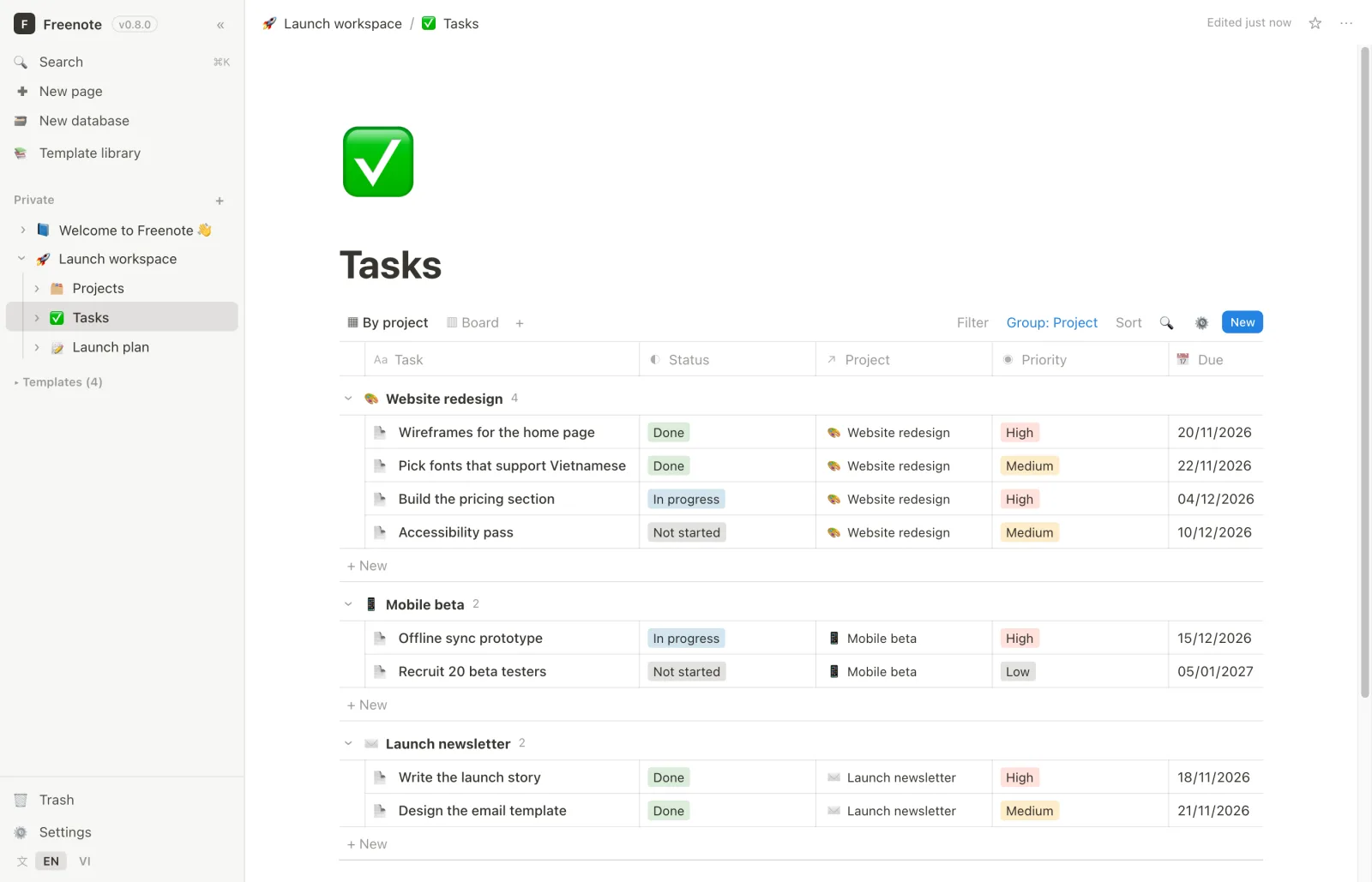
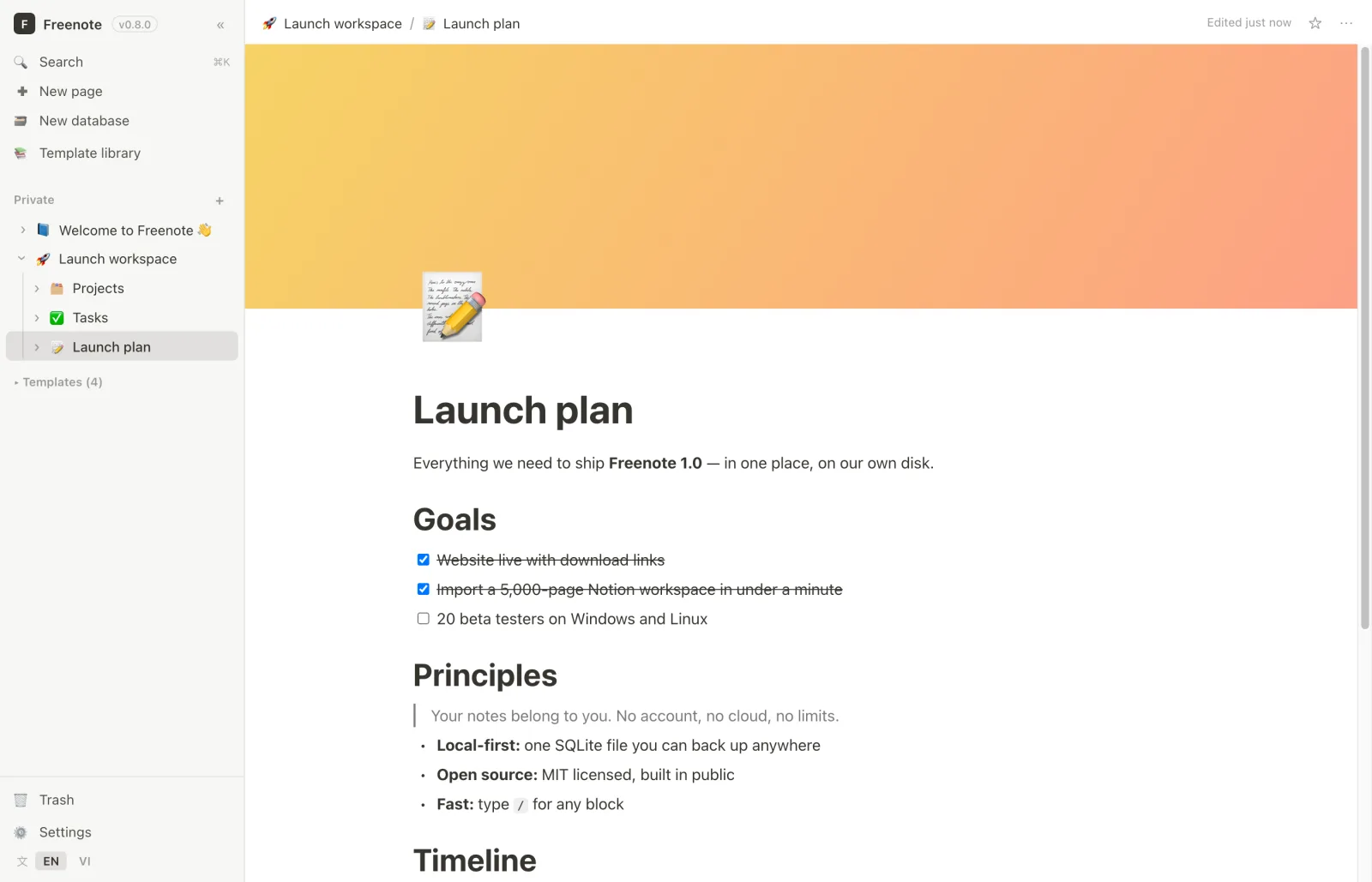
What's inside
The parts of Notion you use every day, minus the parts that live on someone else's server.
-
01
A block editor that stays out of the way
Type / for headings, to-dos, toggles, quotes, code, tables, images and files. Drag blocks around, nest pages without limit, link any page with @ and see backlinks.
-
02
Databases, with group by
Tables and boards, 10 property types, filters, multi-level sorts, column calculations (sum, average, % done) and several saved views. Every row is a full page.
-
03
Relations & rollups
Link Tasks to Projects in both directions, then roll them up: count, sum, or “% of tasks Done” with a progress bar. Group and filter by the linked page.
-
04
Light, dark, and yours
Native apps for macOS, Windows and Linux. English and Vietnamese interface. Open the same notes in your browser at
localhostwhile the app runs. -
05
Nothing gets lost
Autosave, 100 versions per page with one-click restore, a trash, and a daily automatic backup to any folder, including iCloud Drive, Google Drive or Dropbox.
-
06
A shared template library
Ready-made templates maintained in the open on GitHub, synced into the app without an update. Plus a curated list of top Notion templates you can bring over.
fig. 01
The bill, honestly
Freenote isn't Notion. Here's what you get, and what you give up.
FREENOTE
one person · forever
- - - - - - - - - - - - - - - - - -
- Pages & blocks
- ∞
- File uploads
- your disk
- Page history
- 100 ver.
- Backups
- daily, auto
- Works offline
- always
- Account
- none
- Source code
- MIT
- - - - - - - - - - - - - - - - - -
THANK YOU · KEEP YOUR RECEIPT
(it's also your data)
| Freenote | Notion Free¹ | |
|---|---|---|
| Where your data lives | Your computer | Notion's cloud |
| Account required | No | Yes |
| Works offline | Completely | Partly |
| File uploads | No limit | 5 MB per file |
| Page history | 100 versions | 7 days |
| Tables, boards, relations, rollups | ✓ | ✓ |
| Import from Notion | ✓ | — |
| Open source | ✓ | ✕ |
| Real-time collaboration, comments | ✕ | ✓ |
| Mobile apps, automatic sync | roadmap | ✓ |
| Calendar, timeline, formulas | roadmap | ✓ |
| Integrations, API, AI | ✕ | ✓ |
¹ Based on Notion's public pricing page, November 2026. Plans change. In short: choose Freenote for a private, unlimited notebook you fully own; choose Notion if you need a team, mobile apps or integrations.
Leaving Notion takes four steps
Freenote reads Notion's own export, so nothing needs a password, an API key or a browser extension.
- 1
In Notion, open Settings → General → Export all workspace content.
- 2
Choose Markdown & CSV and Include subpages.
- 3
Save the .zip Notion emails you. No need to unzip it.
- 4
In Freenote: Settings → Import → From Notion. Done.
Tested on a real workspace. Databases exported without their table are rebuilt from their rows, and anything that can't come across is listed in an import report, never silently dropped.
Get Freenote
Latest v0.8.0 · · what's new ↗
- macOSApple Silicon (M1–M4).dmg
- macOSIntel.dmg
- Windows10 / 11, 64-bit.exe
- LinuxAppImage.AppImage
- LinuxDebian / Ubuntu.deb
Nothing else to install. The app bundles its own runtime and database. About 300 MB on disk, 200–300 MB of memory.
First launch: builds aren't code-signed yet. On macOS, right-click the app → Open. On Windows, More info → Run anyway. After that, Freenote updates itself.
Developer? git clone, npm install, npm start. Node 22.13+ is all you need.